Over the years, digital tools have become an important part of property management. Instead of relying on paper records or multiple spreadsheets, many property owners and managers now use software designed specifically for property-related activities. These platforms simplify routine work, improve recordkeeping, and reduce the chances of missing important information.
This guide explains what property management software is, how it works, its common features, advantages, potential limitations, and the factors to consider when choosing a platform.
What Is Property Management Software?
Property management software is a digital application that helps organize and manage various aspects of residential, commercial, or mixed-use properties. It brings together information about tenants, leases, payments, maintenance activities, financial records, and property documents in one centralized system.
Instead of switching between different files or manual processes, users can access important information through a single dashboard. Depending on the platform, the software may be available through a web browser, desktop application, or mobile app.
These systems are designed for different property sizes, ranging from a single rental property to large portfolios with hundreds of units.
How Property Management Software Works
Property management software stores property-related information in a structured database. Users enter details such as property addresses, tenant records, lease dates, payment schedules, maintenance history, and financial transactions.
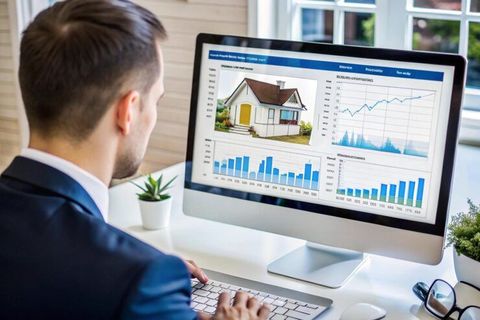
Once information is stored, the software organizes it into different sections. Users can search records quickly, generate reports, monitor lease timelines, and review financial information without manually sorting through paperwork.
Many platforms also include automated reminders for lease renewals, payment due dates, inspection schedules, and maintenance activities. These reminders help users stay informed about upcoming responsibilities.
Cloud-based systems allow authorized users to access information from different devices while maintaining data consistency across locations.
Common Features
Although every platform includes different tools, many property management software solutions share several common features.
Tenant Information Management
Tenant records often include contact details, lease agreements, payment history, communication records, and important documents. Keeping everything in one location makes information easier to locate when needed.
Lease Tracking
Lease management tools monitor agreement dates, renewal periods, expiration schedules, and rental terms. Automatic reminders help reduce missed deadlines.
Payment Recording
Many platforms record rental payments and organize financial transactions into detailed reports. Users can monitor payment history and review outstanding balances.
Maintenance Tracking
Maintenance modules allow property managers to record repair requests, assign work, monitor progress, and maintain a history of completed maintenance activities.
Financial Reporting
Financial reporting tools summarize income, expenses, tax-related records, and operating performance. Reports can support budgeting and long-term planning.
Document Storage
Important documents such as lease agreements, inspection reports, insurance records, warranties, and maintenance documents can be stored digitally for easier access.
Communication Tools
Some platforms include messaging systems that help organize communication with tenants, maintenance teams, and property owners while maintaining conversation history.
Types of Property Management Software
Different property owners have different requirements. Property management software is available in several categories.
Residential Property Software
Designed for apartments, houses, condominiums, and residential rental properties. These platforms typically focus on tenant management, lease tracking, maintenance requests, and payment records.
Commercial Property Software
Commercial property platforms support office buildings, shopping centers, warehouses, and industrial properties. They often include tools for handling more complex lease agreements and financial reporting.
Mixed-Use Property Software
Mixed-use platforms combine residential and commercial management features within a single system, making it easier to oversee diverse property portfolios.
Association Management Software
Homeowner associations and community organizations often use software designed to manage member records, community documents, maintenance activities, and financial information.
Benefits of Property Management Software
Property management software supports more organized daily operations in several ways.
Improved Organization
Having all records in one digital location reduces paperwork and makes important information easier to locate.
Better Record Accuracy
Digital recordkeeping minimizes duplication and helps maintain consistent information across different property records.
Time Savings
Automation handles repetitive administrative tasks such as reminders, recurring schedules, and report generation, allowing managers to focus on more complex responsibilities.
Easier Financial Monitoring
Income and expense reports provide a clearer picture of property performance throughout the year.
Maintenance Visibility
Tracking maintenance requests from start to completion helps organize repair activities and creates a documented maintenance history.
Document Security
Digital storage helps protect important files from physical damage while making authorized access more convenient.
Portfolio Growth
As additional properties are added, software helps organize increasing amounts of information without relying entirely on manual processes.
Challenges to Consider
Although property management software provides many advantages, there are also some challenges worth understanding.
Learning a new platform may take time, particularly for users transitioning from paper-based systems.
Data migration from older records requires careful planning to ensure accuracy.
Different software platforms include different features, so not every option matches every property type.
Internet connectivity may affect access to cloud-based systems in some situations.
Regular software updates may introduce new features that require users to become familiar with updated workflows.
How to Choose Property Management Software
Selecting the right software depends on the size and complexity of the property portfolio.
Consider the following factors during evaluation:
- Property type compatibility
- Number of units being managed
- Lease management tools
- Financial reporting capabilities
- Maintenance tracking functions
- Document management options
- Mobile accessibility
- User interface simplicity
- Security features
- Data backup capabilities
- Integration with accounting software
- Reporting flexibility
- Customer support availability
- Future scalability
Comparing these factors helps identify software that aligns with current and future management needs.
Cloud-Based vs Desktop Software
Many modern property management platforms operate in the cloud, while some remain desktop-based.
Cloud software stores information online, allowing authorized users to access records from multiple devices. Updates are generally applied automatically, helping maintain current functionality.
Desktop software stores information locally on a computer. Some organizations prefer this approach when internet access is limited or when local data storage aligns with internal policies.
The choice depends on operational preferences, accessibility requirements, and infrastructure.
Security Considerations
Property records often contain financial information, lease documents, and personal tenant details. Security plays an important role when selecting software.
Many platforms include:
- User access permissions
- Data encryption
- Automatic backups
- Multi-factor authentication
- Activity logs
- Secure document storage
Reviewing available security features helps protect sensitive information from unauthorized access.
Future Trends
Technology continues to shape property management software through new capabilities.
Artificial intelligence is helping organize maintenance scheduling, document processing, and reporting.
Mobile applications continue to improve access for property managers working across multiple locations.
Automation is becoming more common for recurring administrative tasks.
Data analytics helps identify occupancy patterns, maintenance trends, and financial performance over time.
Smart building technologies are also becoming more connected with property management platforms, creating additional opportunities for monitoring facilities and equipment.
Conclusion
Property management software has become an important digital tool for organizing residential, commercial, and mixed-use properties. By bringing tenant records, leases, financial information, maintenance activities, and documents into one platform, it supports more structured daily management.
Every property portfolio has different requirements, so choosing suitable software involves evaluating features, usability, security, reporting capabilities, and long-term flexibility. Understanding how these systems work helps property owners and managers make informed decisions while creating more organized and efficient property operations.