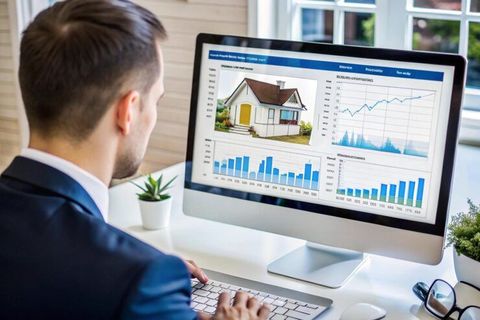
They save time, help narrow down choices, and make it easier to compare multiple homes. Whether someone is looking at apartments, family homes, or newly built properties, these digital experiences provide valuable information in a convenient format.
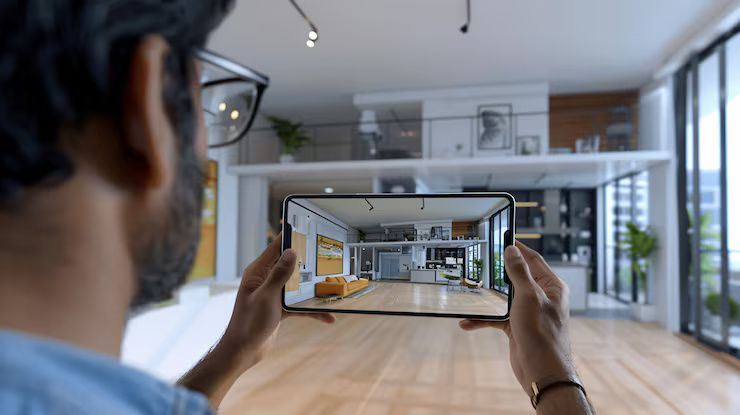
This guide explains what virtual home tours are, how they work, their advantages, their limitations, and tips for getting the most from them.
What Are Virtual Home Tours?
A virtual home tour is a digital presentation that lets viewers explore a property remotely. Instead of relying only on still photographs, visitors can move through rooms, look around in different directions, and gain a better understanding of the property's layout.
Depending on the technology used, a virtual tour may include:
- 360-degree room views
- Interactive navigation between spaces
- Floor plans
- High-quality images
- Video walkthroughs
- Labels highlighting important features
These elements create a more complete picture of a property than traditional image galleries.
How Virtual Home Tours Work
Virtual home tours use panoramic photography or specialized scanning equipment to capture each room from multiple angles. The images are then connected together through software, allowing viewers to move from one space to another with simple controls.
Many tours allow users to:
- Rotate the camera in every direction
- Move between rooms
- Zoom in on details
- View measurements
- Switch between floor plans and room views
Some modern platforms also include interactive maps that help visitors understand how rooms connect throughout the home.
Different Types of Virtual Home Tours
Not every virtual tour is the same. Different formats provide different viewing experiences.
360-Degree Tours
These tours let users stand virtually inside each room and rotate the camera in every direction. They provide a realistic sense of space and room size.
Video Walkthroughs
A recorded video guides viewers from room to room while showing important features of the property.
Interactive 3D Tours
These tours combine multiple scanned rooms into one complete digital model. Users can move freely through the home at their own pace.
Floor Plan Tours
Some listings include detailed floor plans that work alongside virtual tours, helping viewers understand room dimensions and layout.
Benefits of Virtual Home Tours
Virtual home tours provide several practical advantages.
Save Time
Instead of visiting many different properties, viewers can explore several homes online and focus only on those that match their needs.
Easy Comparison
Looking at multiple homes digitally makes it easier to compare layouts, room sizes, storage areas, and overall design.
Better Understanding of Space
A collection of photographs may not clearly show how rooms connect. Virtual tours provide a more natural view of the property's flow.
Convenient Access
People can view homes from almost anywhere with an internet connection, making planning much easier.
Helpful for Long-Distance Searches
Someone moving to another city or country can explore properties before arranging travel.
Features Commonly Found in Virtual Home Tours
Many modern virtual tours include useful interactive tools.
Room Labels
Important areas such as kitchens, bedrooms, bathrooms, and storage spaces are clearly identified.
Measurement Information
Some tours display approximate room dimensions that help viewers understand available space.
Floor Navigation
Users can jump directly to specific rooms instead of following a fixed viewing order.
Zoom Controls
Zoom features allow closer inspection of flooring, windows, cabinetry, lighting fixtures, and other details.
Dollhouse View
Some platforms provide a miniature 3D model showing the entire property's layout from above.
Preparing for a Virtual Home Tour
A little preparation can improve the viewing experience.
Before starting a tour:
- Create a checklist of important features.
- Decide how many bedrooms or bathrooms are needed.
- Think about storage requirements.
- Consider outdoor areas.
- Pay attention to room connections.
Having clear priorities helps viewers evaluate each property more effectively.
What to Look for During a Virtual Home Tour
Rather than moving quickly through each room, take time to observe important details.
Notice:
- Overall room size
- Window placement
- Natural lighting
- Kitchen layout
- Bathroom arrangement
- Hallway width
- Storage areas
- Stair locations
- Ceiling height
- Entryways
These details help build a clearer understanding of the property's design.
Limitations of Virtual Home Tours
Although virtual tours provide useful information, they cannot completely replace an in-person visit.
Some limitations include:
Lighting Differences
Camera settings may make rooms appear brighter than they actually are.
Room Scale
Wide-angle photography can sometimes make spaces seem larger.
Missing Details
Certain sounds, neighborhood surroundings, or building conditions may not be fully represented.
Internet Quality
A slow internet connection may reduce image quality or interrupt navigation.
Because of these factors, many people use virtual tours as an early research step before making further decisions.
Tips for Making the Most of Virtual Home Tours
These simple habits can improve the experience.
View on a Larger Screen
Using a laptop or desktop computer makes room details easier to examine.
Take Notes
Write down observations while viewing each property to help compare options later.
Compare Floor Plans
Look at floor plans together with the virtual tour to better understand room placement.
Revisit Important Rooms
Most tours allow unlimited viewing, making it easy to review kitchens, living rooms, or bedrooms several times.
Avoid Rushing
Spend enough time exploring every room carefully instead of moving through the property too quickly.
Technology Behind Virtual Home Tours
Several technologies work together to create these interactive experiences.
Common tools include:
- Panoramic cameras
- 3D scanning devices
- Image stitching software
- Interactive viewing platforms
- Cloud-based storage
- Mobile-compatible viewers
These technologies help create smooth navigation and realistic property presentations across many devices.
Future Trends
Virtual home tours continue to evolve as digital technology improves.
Future developments may include:
- Higher image resolution
- Faster loading times
- More detailed room measurements
- Enhanced mobile experiences
- Improved interactive navigation
- Better visualization of interior layouts
These improvements aim to make online property exploration even more informative and accessible.
Conclusion
Virtual home tours have changed how people explore residential properties by making property viewing more convenient and informative. Interactive navigation, detailed room views, and digital floor plans provide a clearer understanding of a home's layout than traditional photographs alone.
Although they do not replace visiting a property in person, virtual home tours help people narrow their choices, compare homes more efficiently, and prepare for future visits with greater confidence. As digital technology continues to develop, these tours are likely to remain an important part of the home search process for many years.